Literature Research
Literature review, benchmarking and application analysis.
A new-generation mobile banking case study focused on creating a more modern, customizable, multifunctional and lower-friction financial experience.
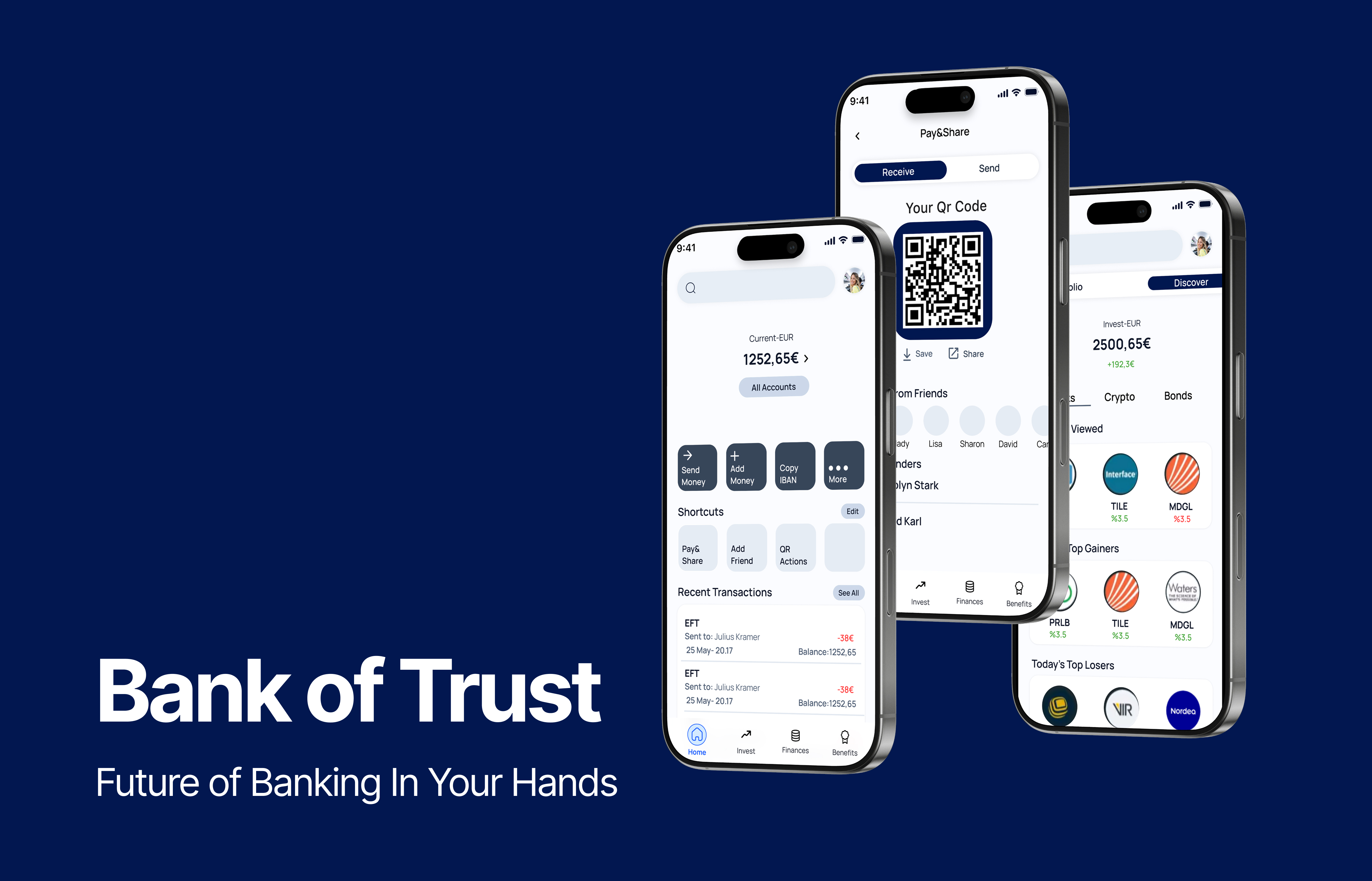
Literature review, benchmarking and application analysis.
Interviews and analysis of banking applications and their features.
Analysis of research outputs and definition of the main product features.
Exploration of the application structure and its primary user flows.
Visualization of the main features and final experiences.
Literature Research
The new generation mobile banking concept shifts applications from static transaction hubs to proactive, hyper-personalized financial companions.
Gen Z is demanding personalization, transparency and digital-first solutions when it comes to managing their money.
Machine learning analyzes spending habits to automate savings, forecast upcoming bills and proactively flag anomalies, reducing the need for manual budgeting.
Dynamic, context-aware interfaces prioritize relevant information and frequently needed actions.
Modern banking applications combine traditional banking with services such as investments, travel, insurance and digital-wallet utilities.
Person-to-person transfers, mobile-wallet integration, connected bank accounts and frictionless international transfers create a more integrated financial ecosystem.
Digital onboarding and biometric authentication allow users to access banking services with fewer procedural barriers.
Multifunctional financial super app combining investment, international transfers, personalization and personal finance management.
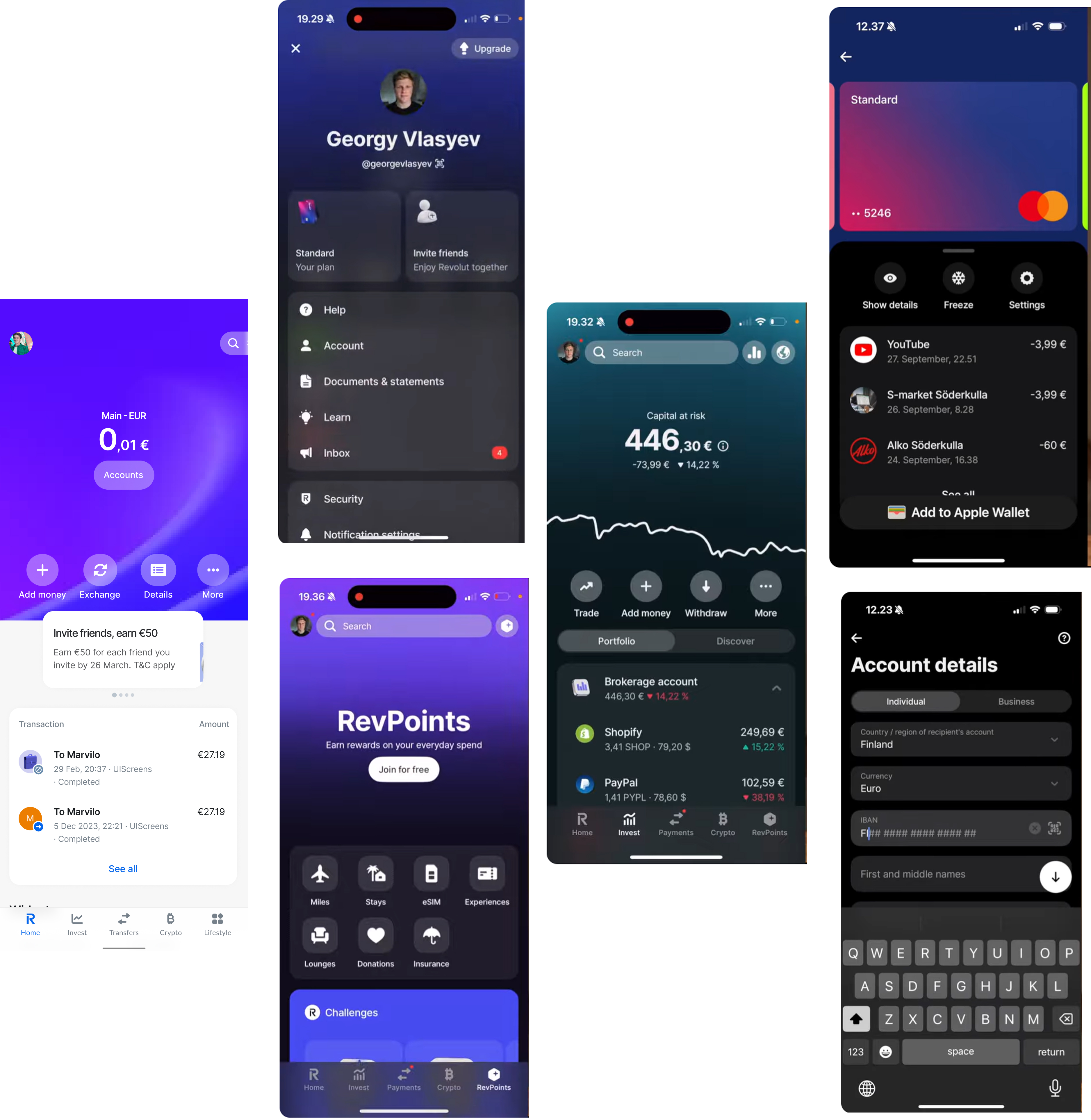
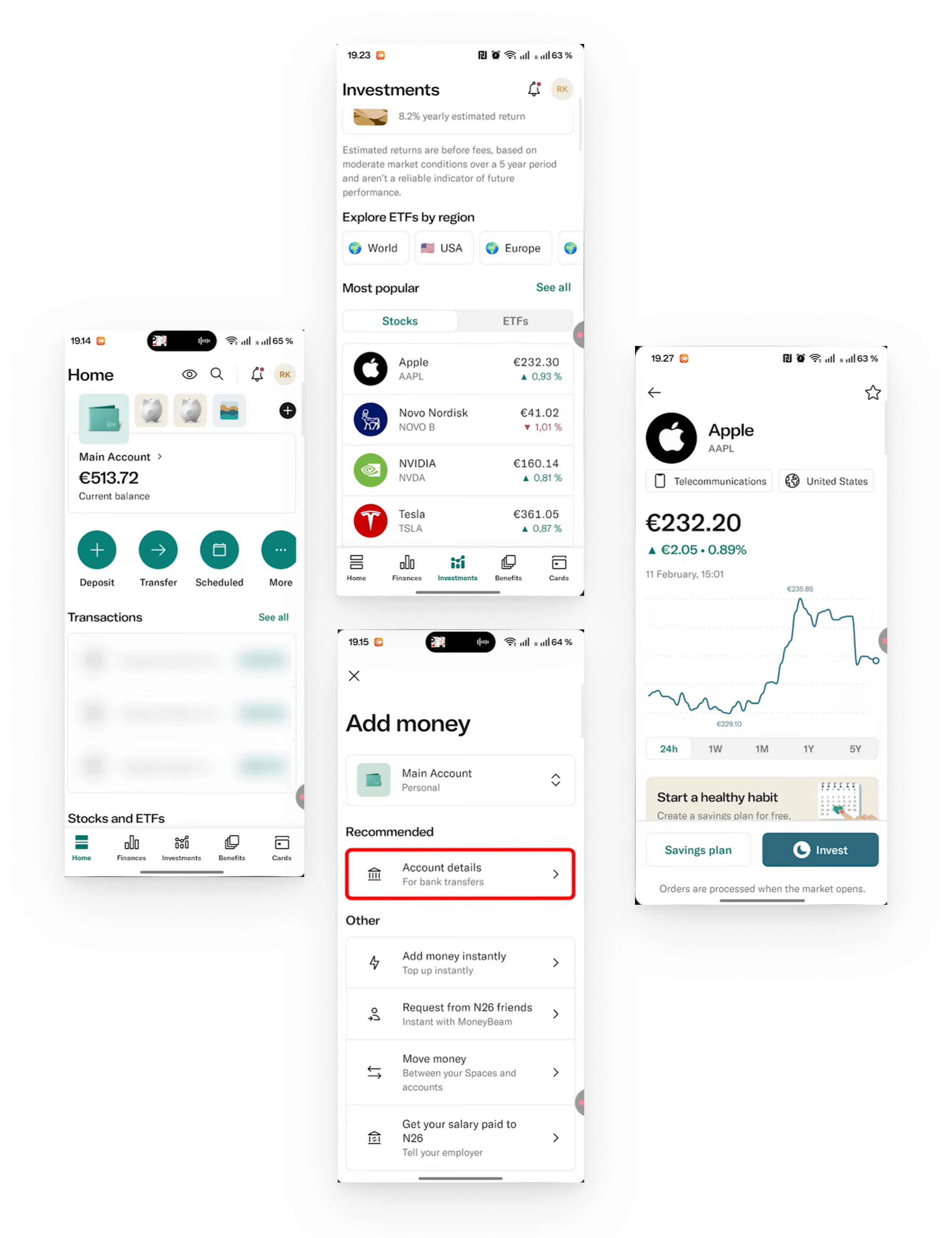
Minimal digital banking experience integrating shared financial spaces and investment functionality.
Broad traditional banking functionality supported by a strong local banking infrastructure.
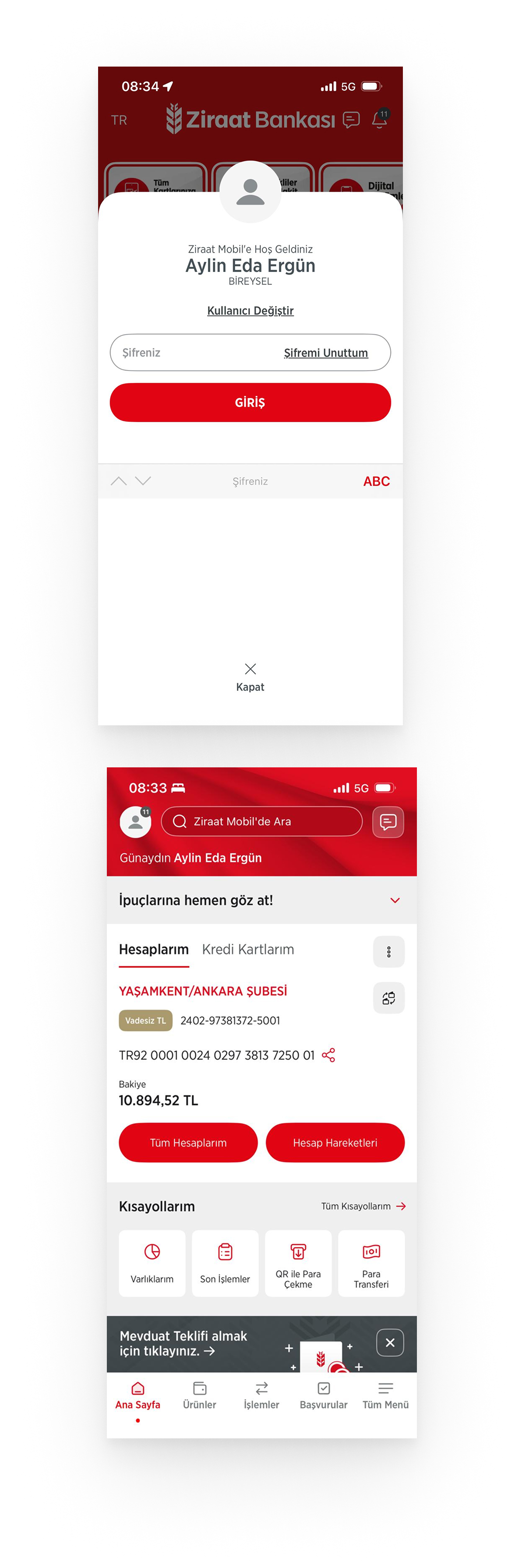
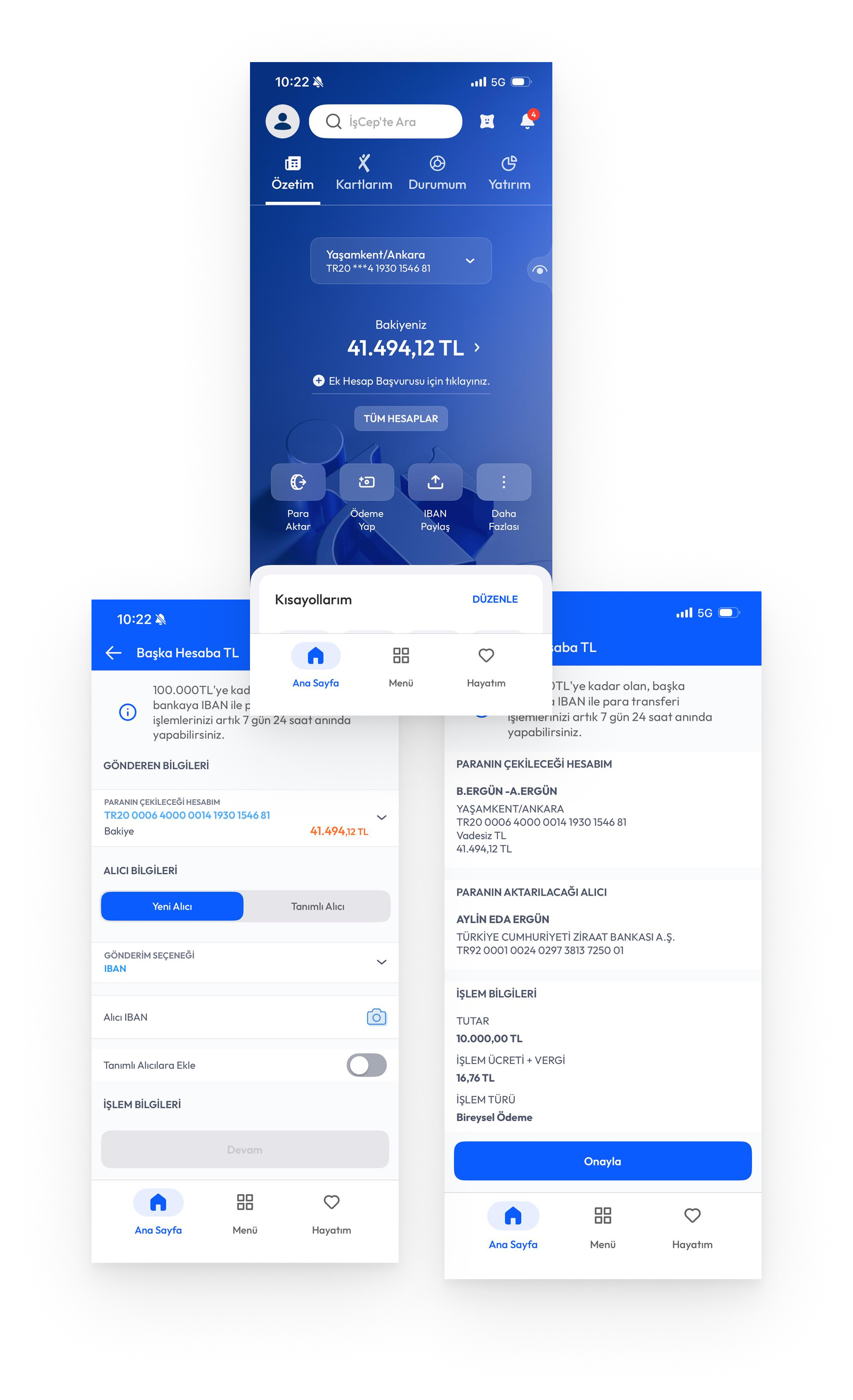
Extensive banking ecosystem with broad functionality and a more traditional interaction structure.
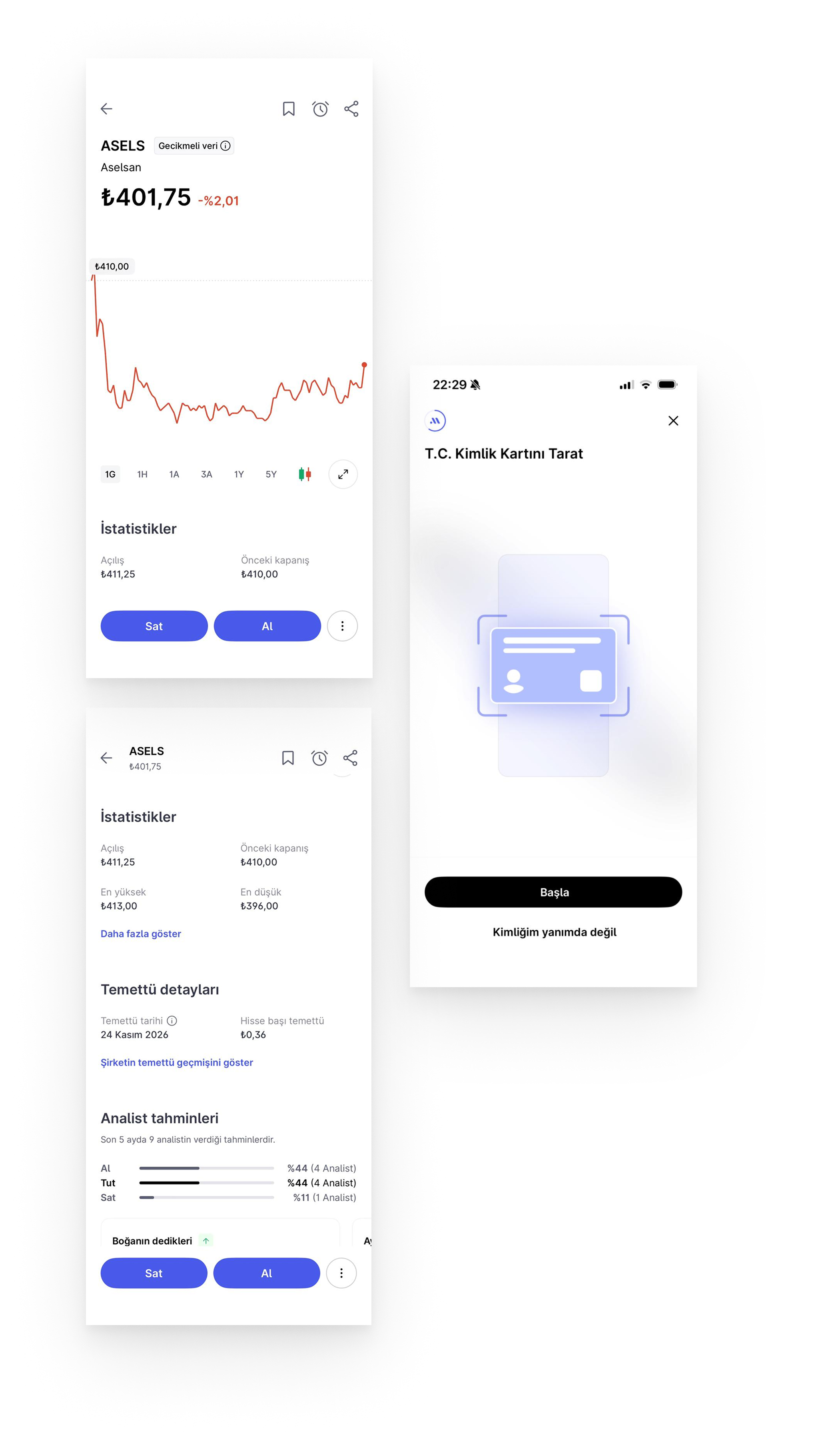
Modern and customizable interface providing seamless access to investment products.
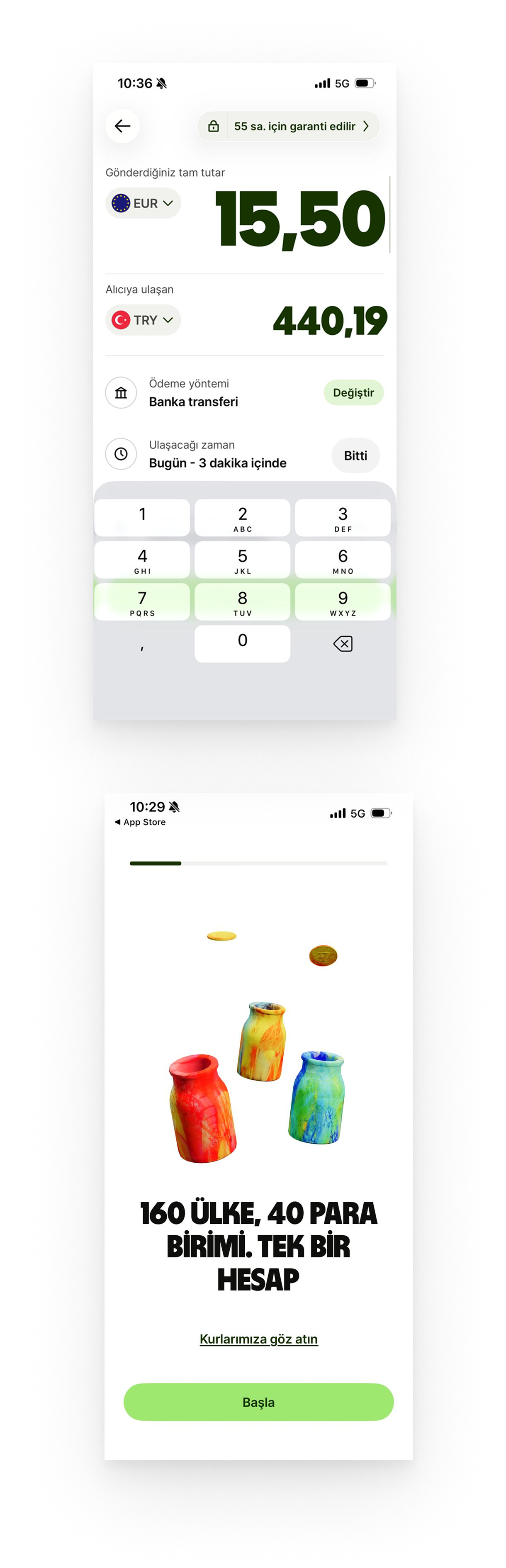
Multi-currency banking and international money management focused on global transfers.
Interview Participants
Users valued being able to arrange their most frequently used actions.
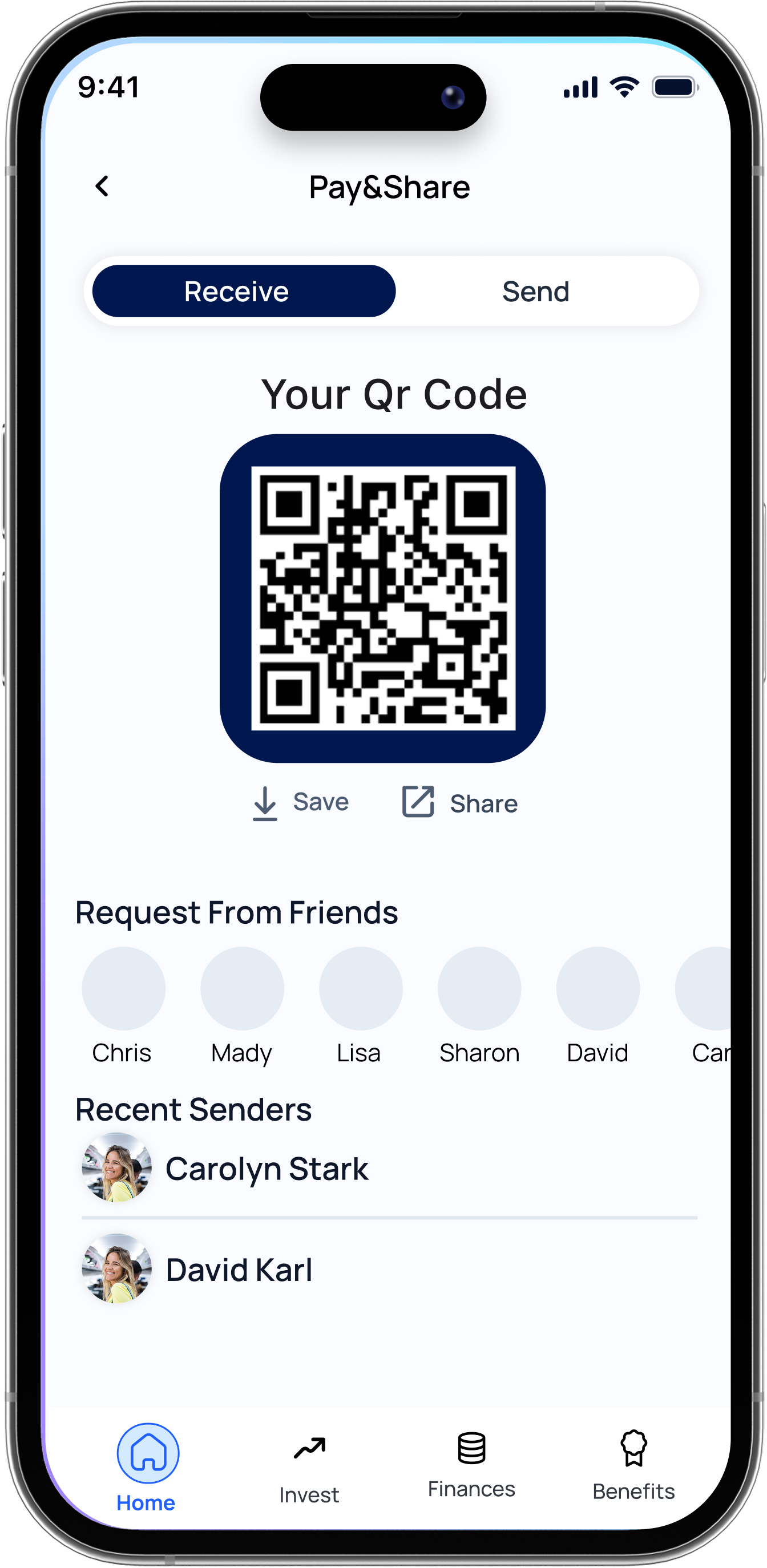
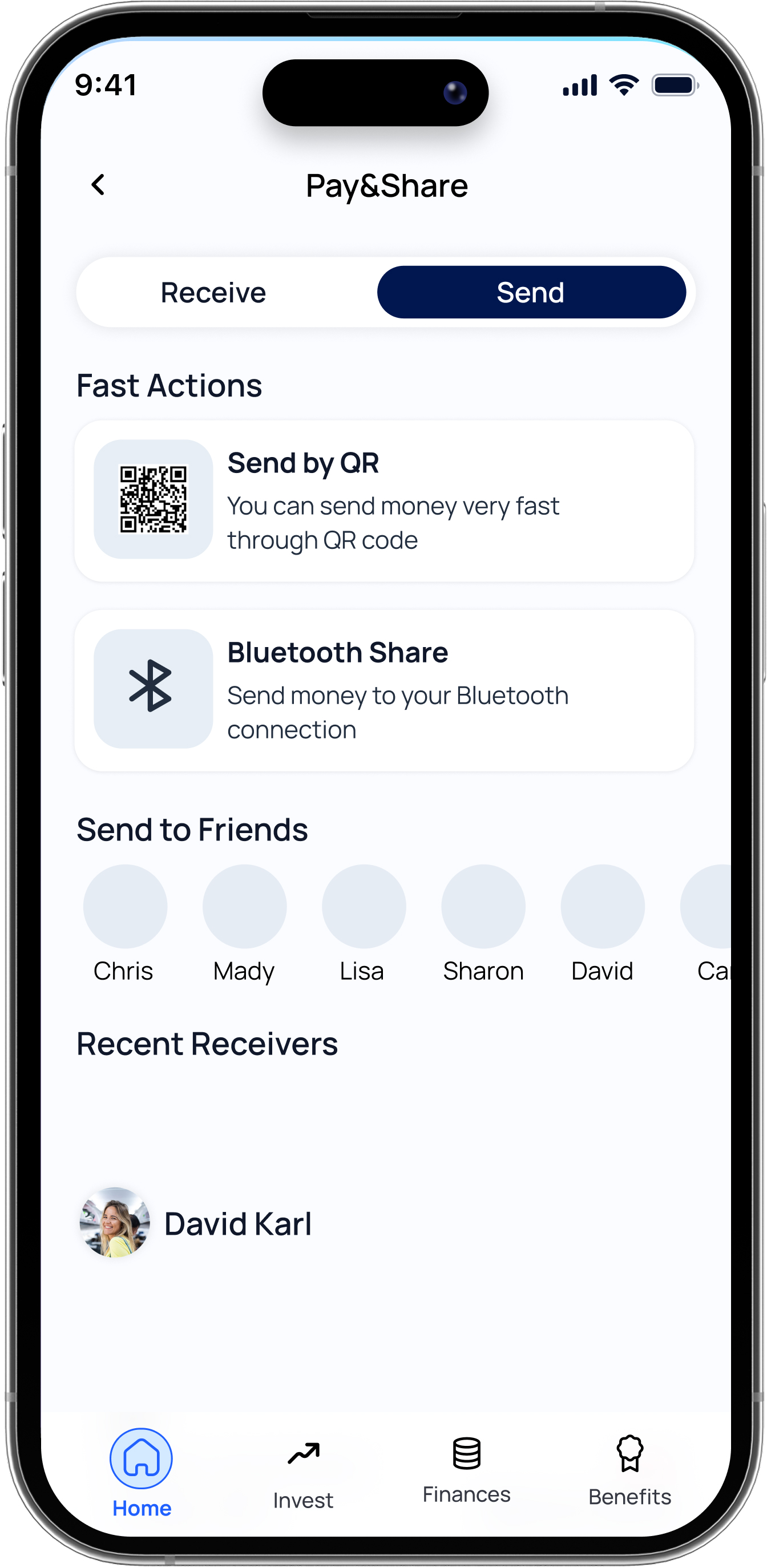
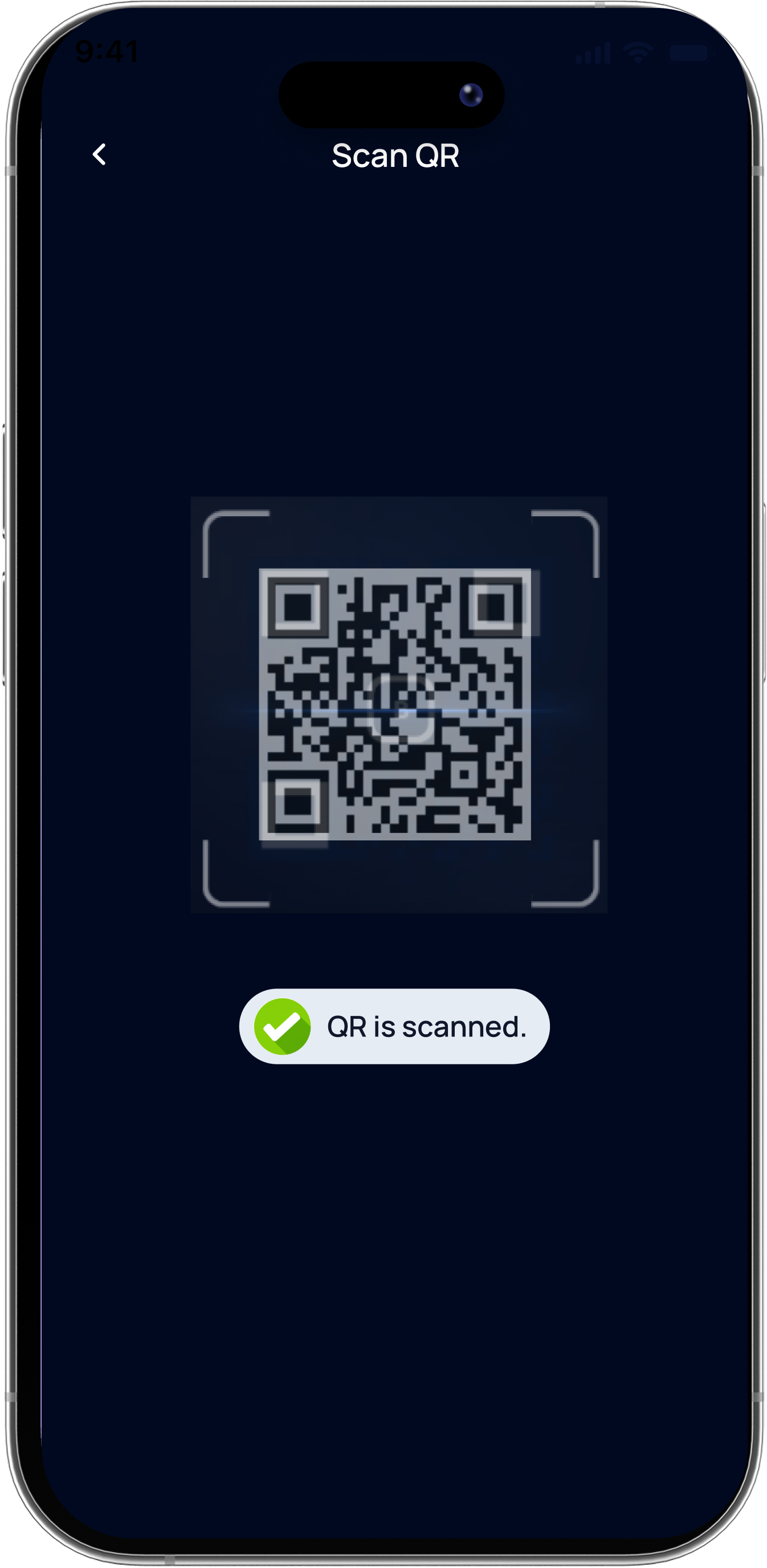
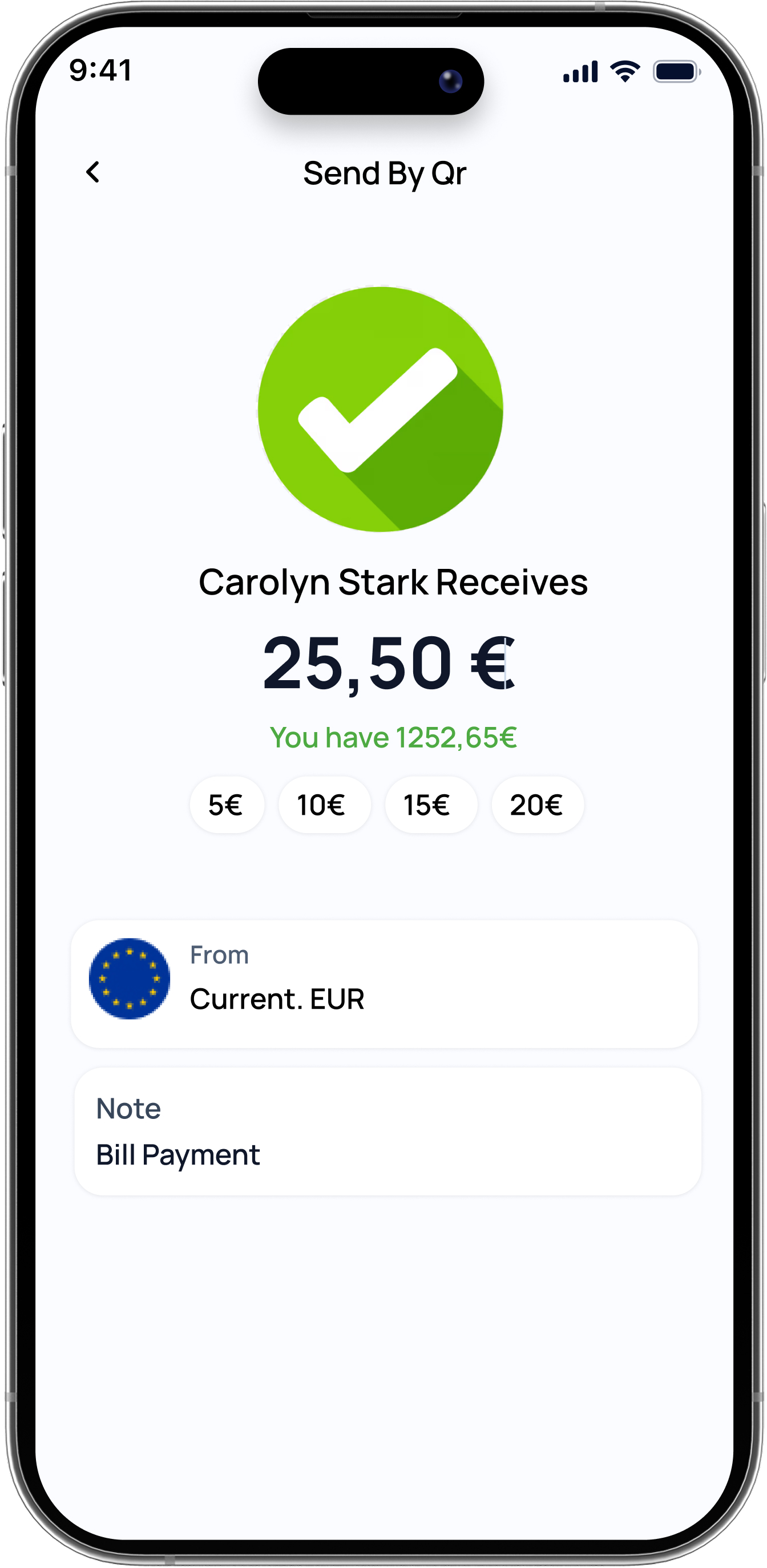
QR-based actions were considered useful and worth making more accessible.
Users valued being able to follow investments, stocks and crypto within a single application.
Easy shared payments between friends were considered useful.
Users preferred shorter, simpler and easier-to-scan interactions.
Face ID, ID scanning and video-based authentication were preferred over repeated traditional passcodes.
Participants appreciated the modern and clean interfaces of applications such as Midas and Revolut.
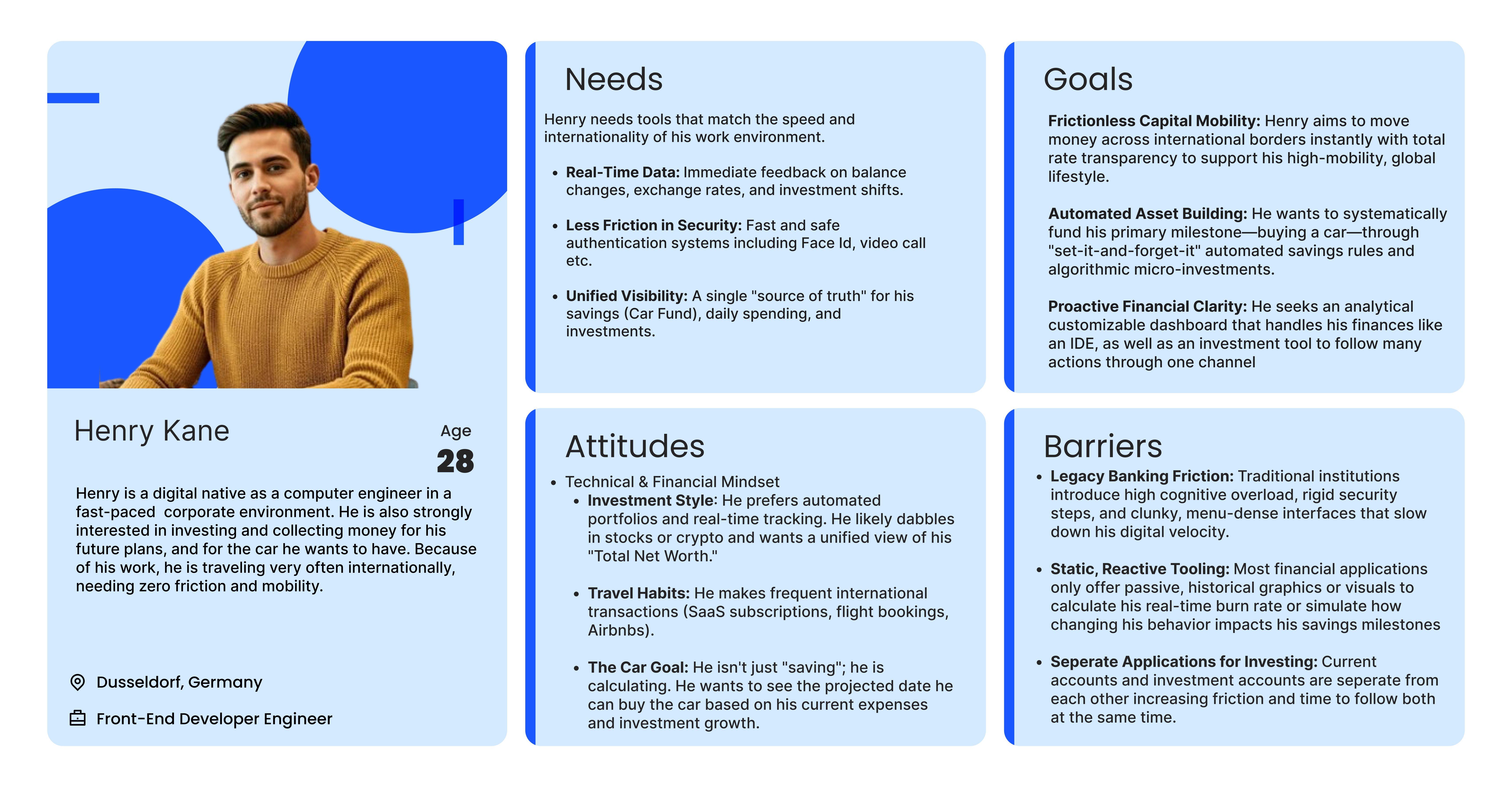
The information architecture explores the main features of the application based on the research findings and defines the primary structure of the banking experience.
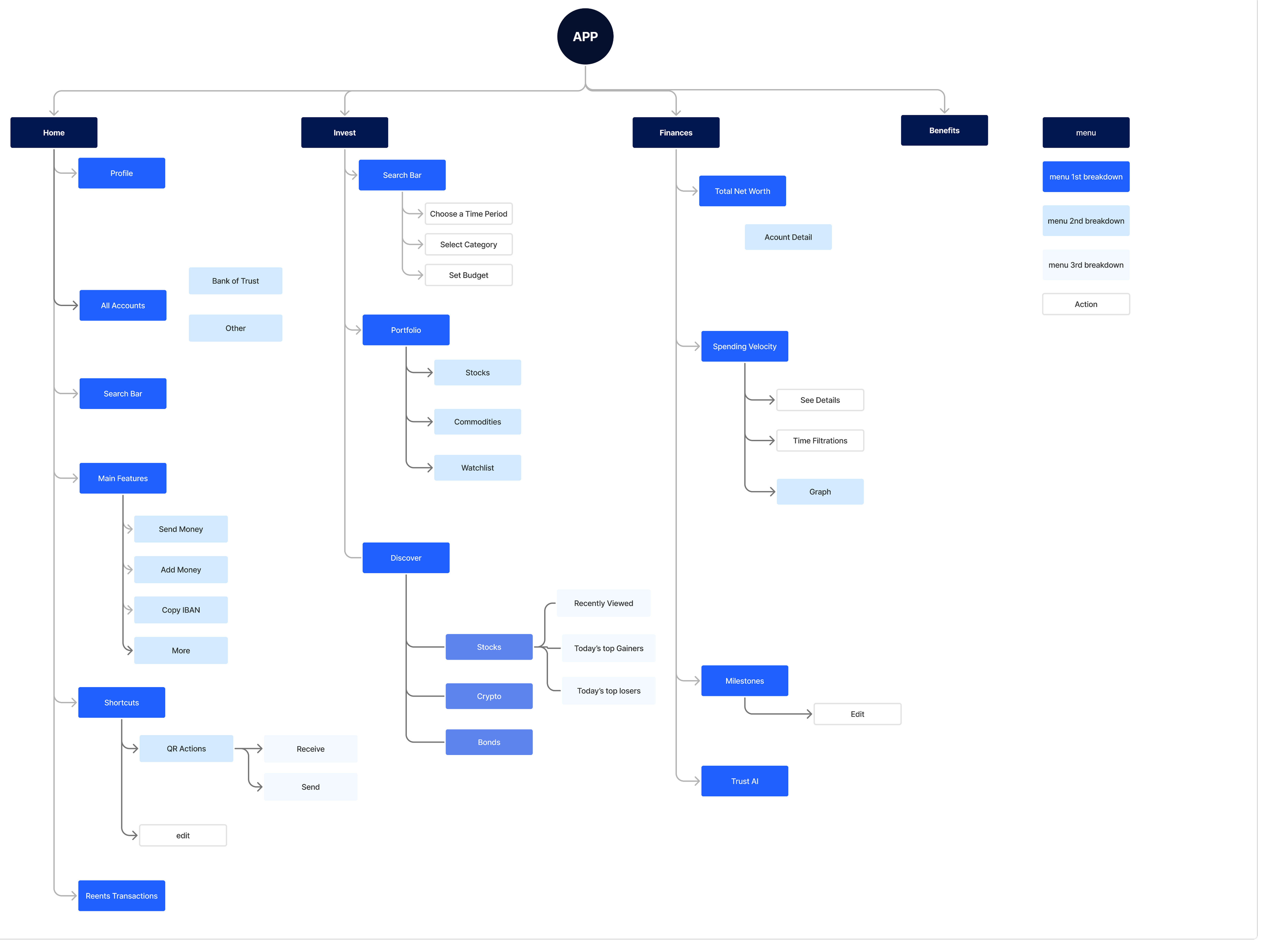
The main navigation brings multiple financial services together within one mobile banking experience.
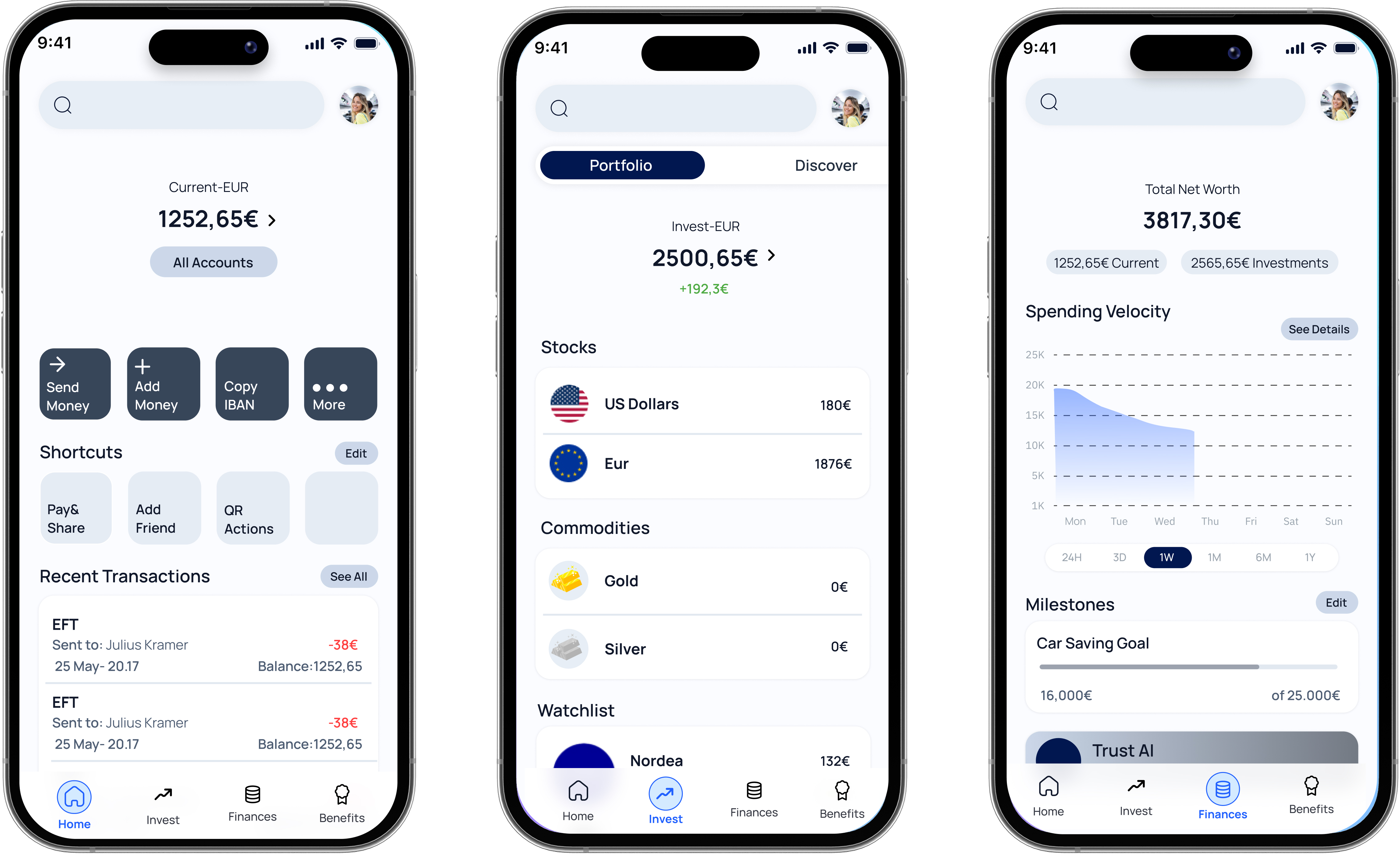
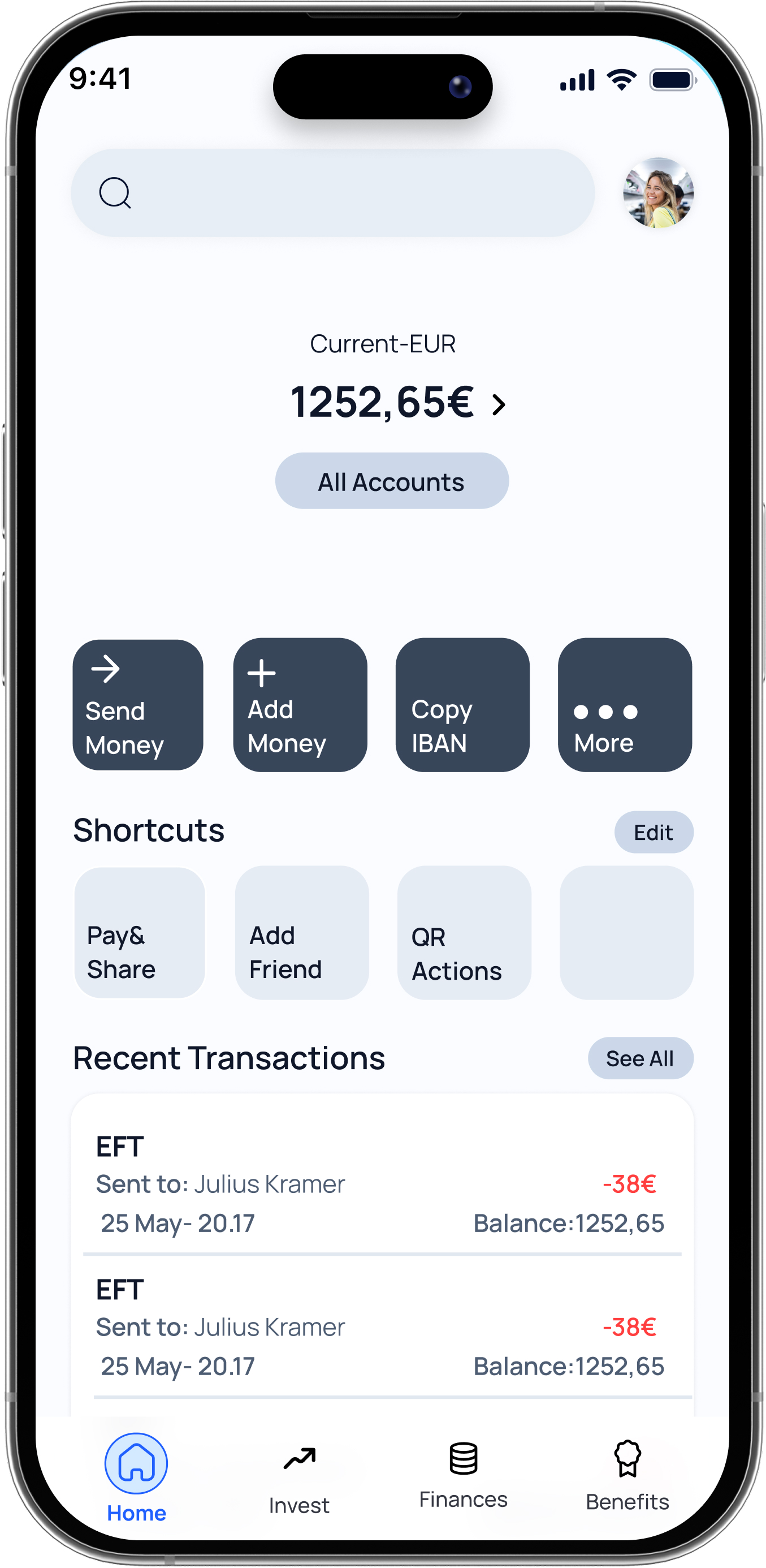
A customizable overview that brings frequently used actions, current and investment accounts, digital wallets and recent financial activity into one accessible space.
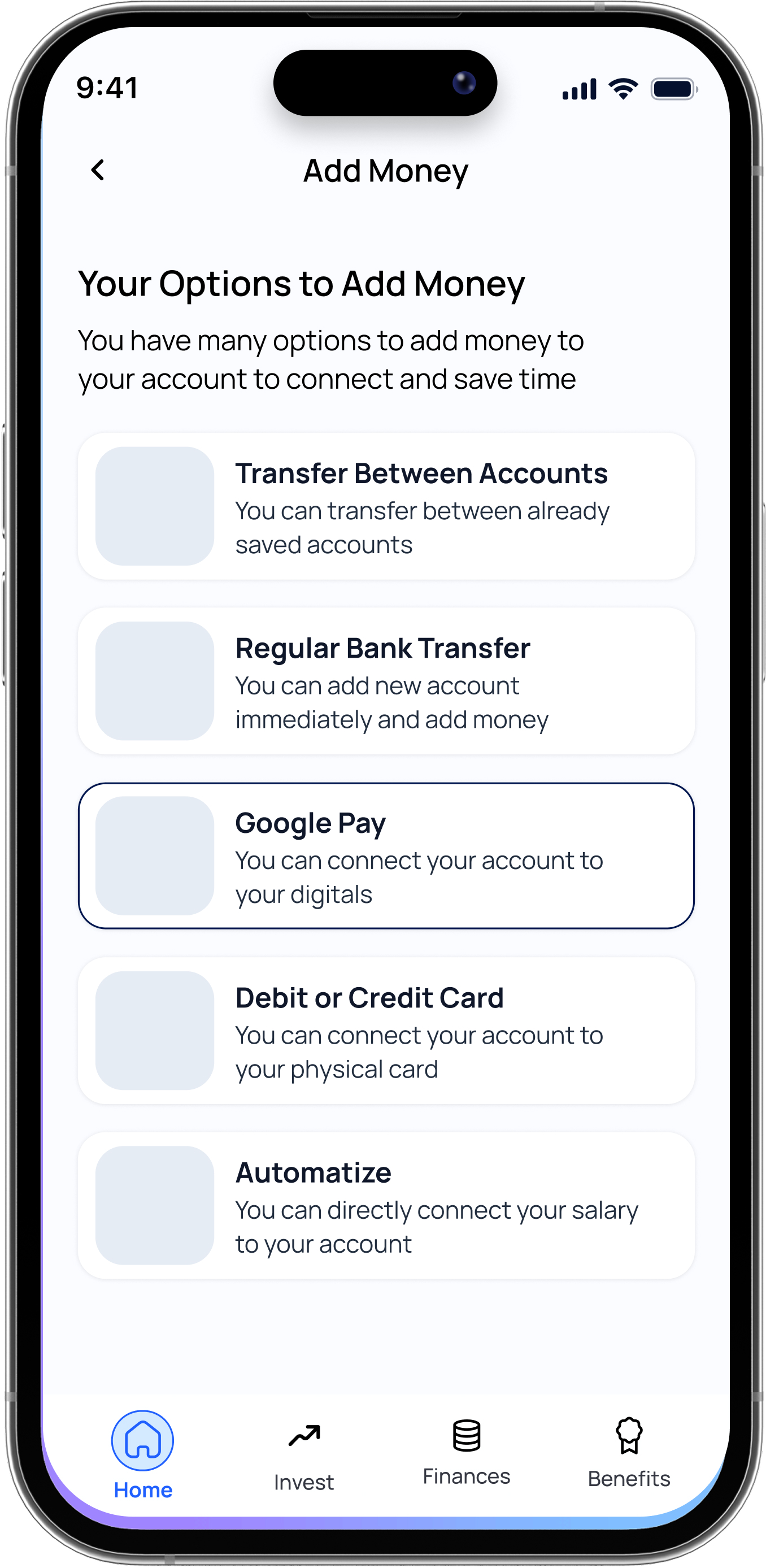
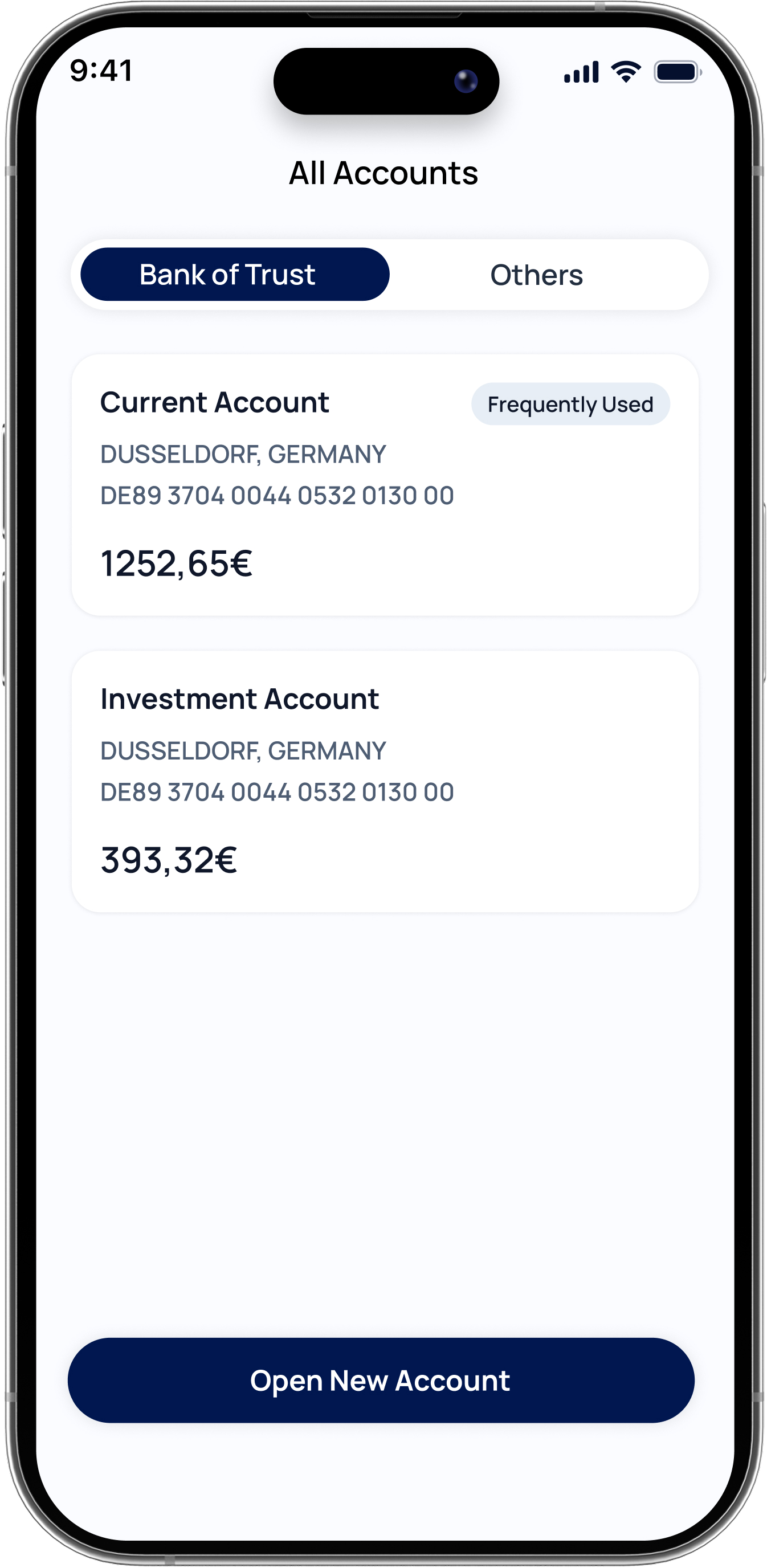
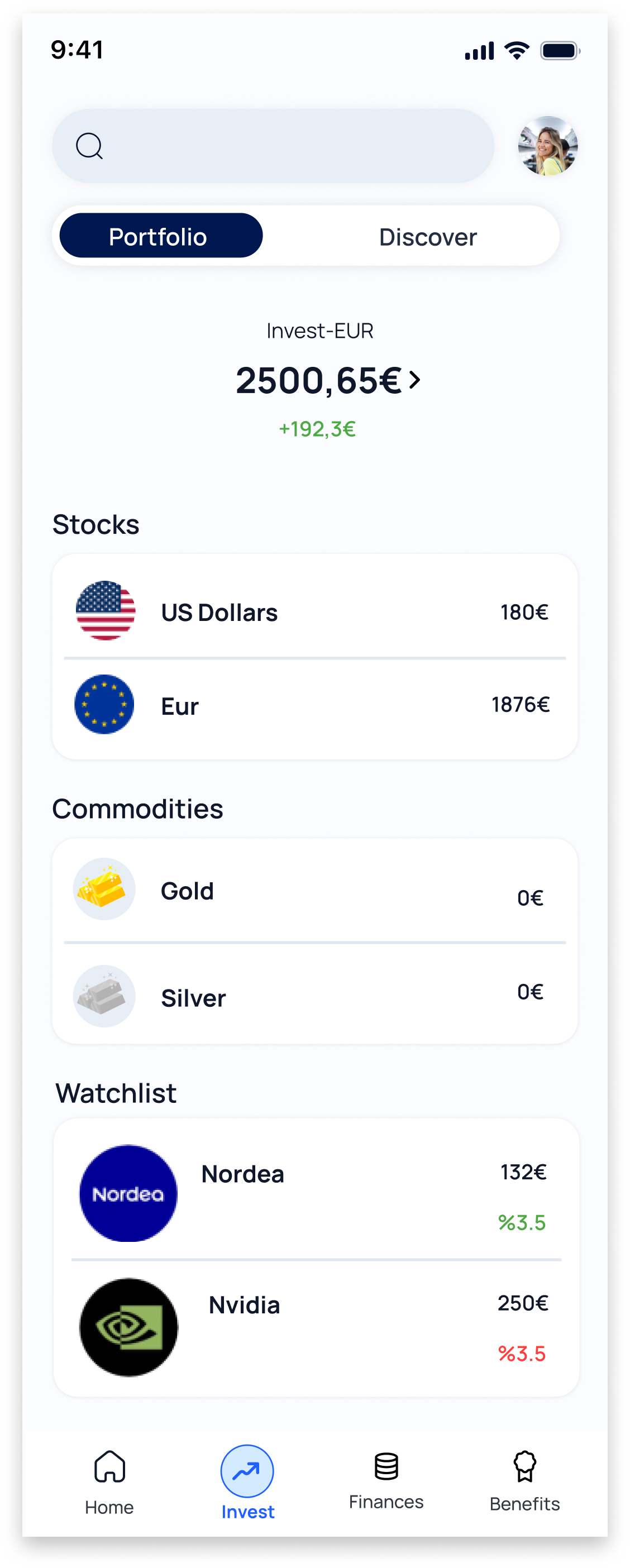
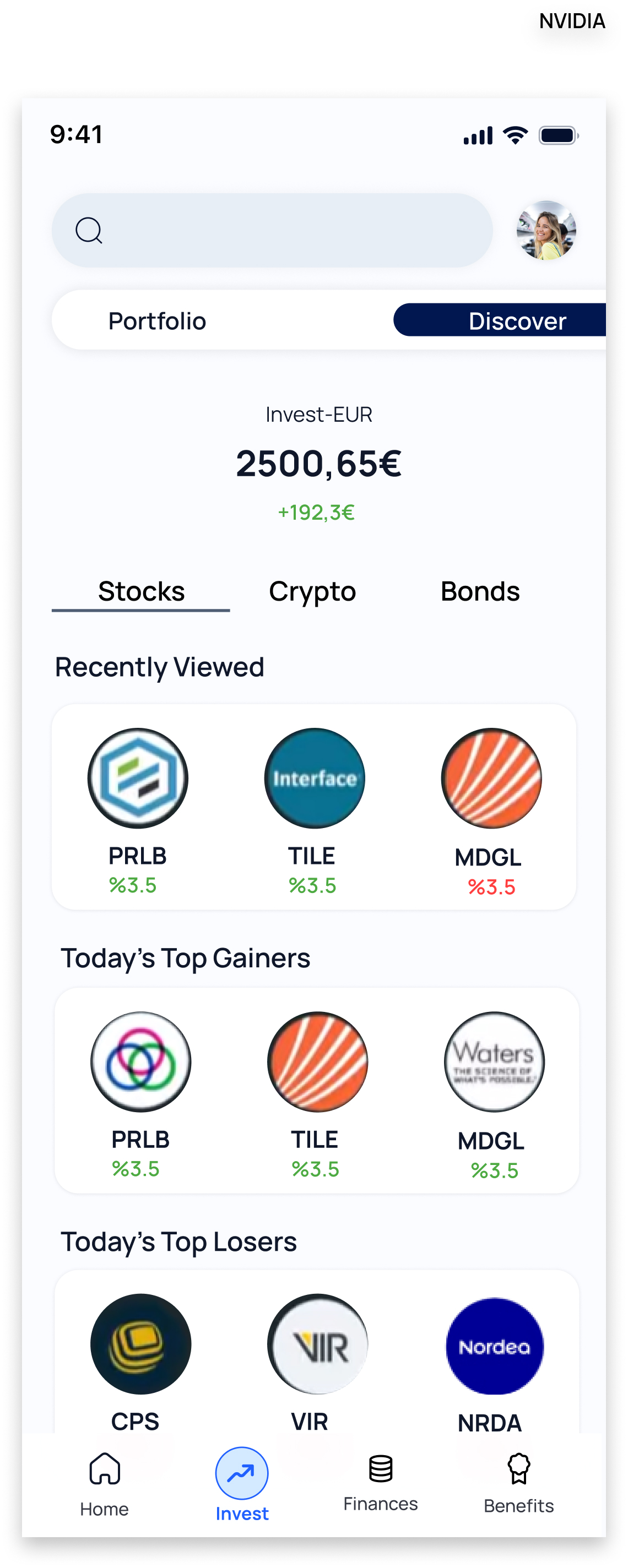
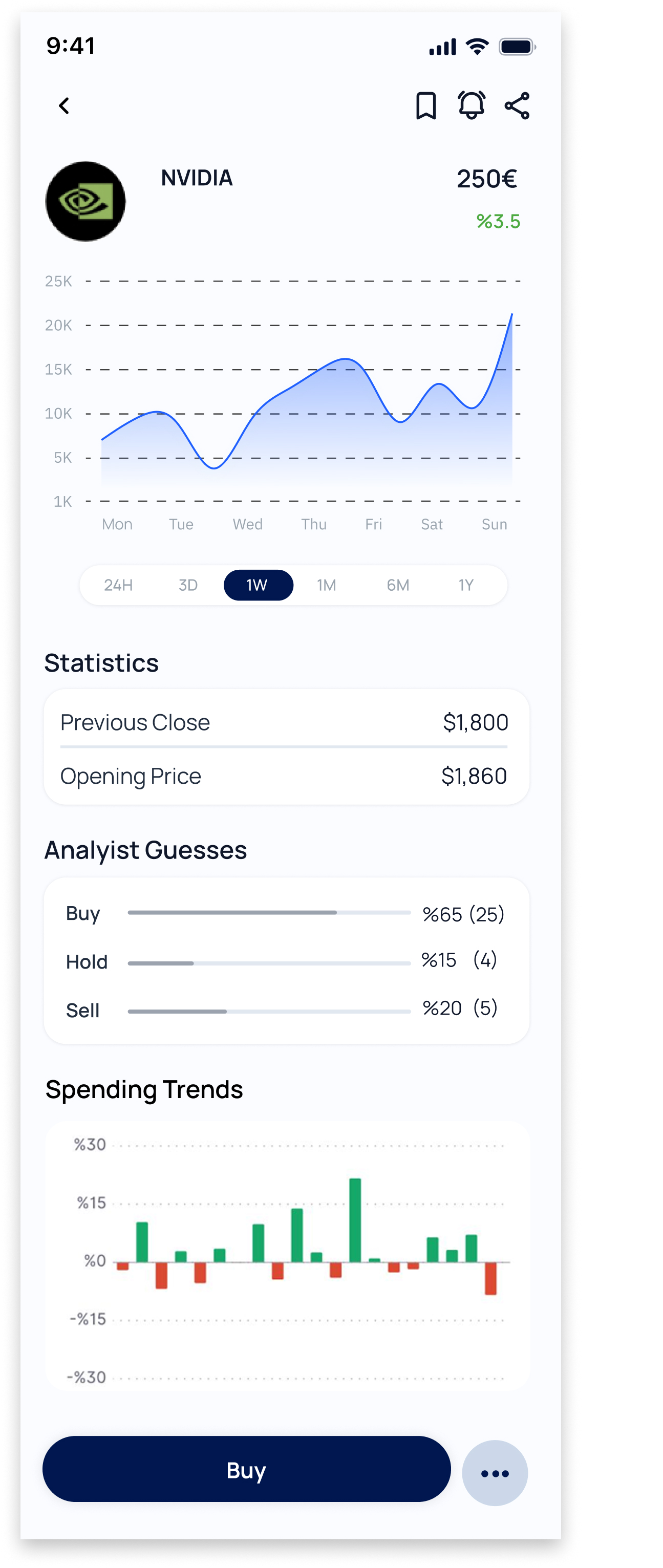
The Invest experience brings portfolio management and market discovery into the banking ecosystem, allowing users to explore and monitor different investment opportunities without switching applications.
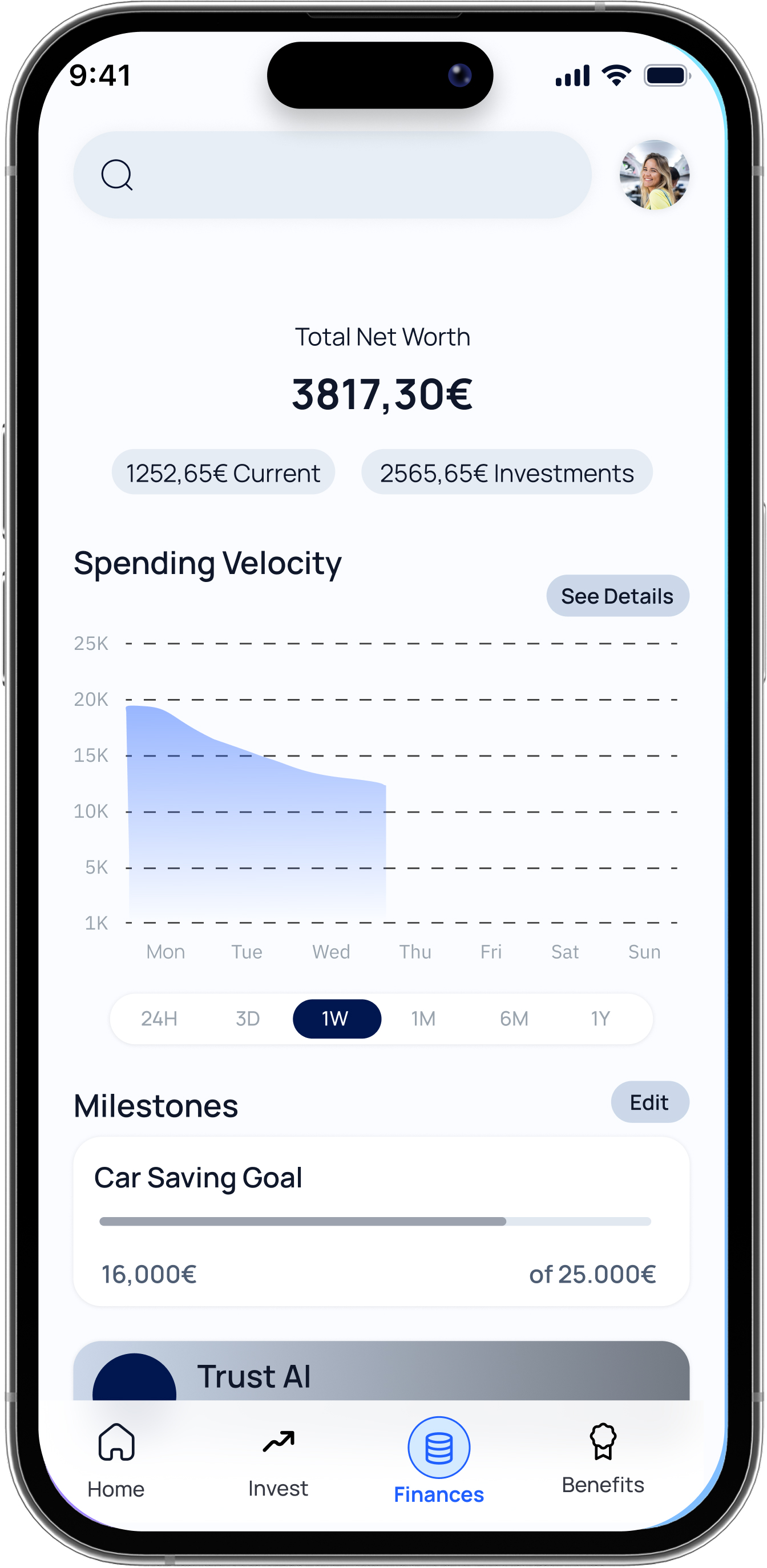
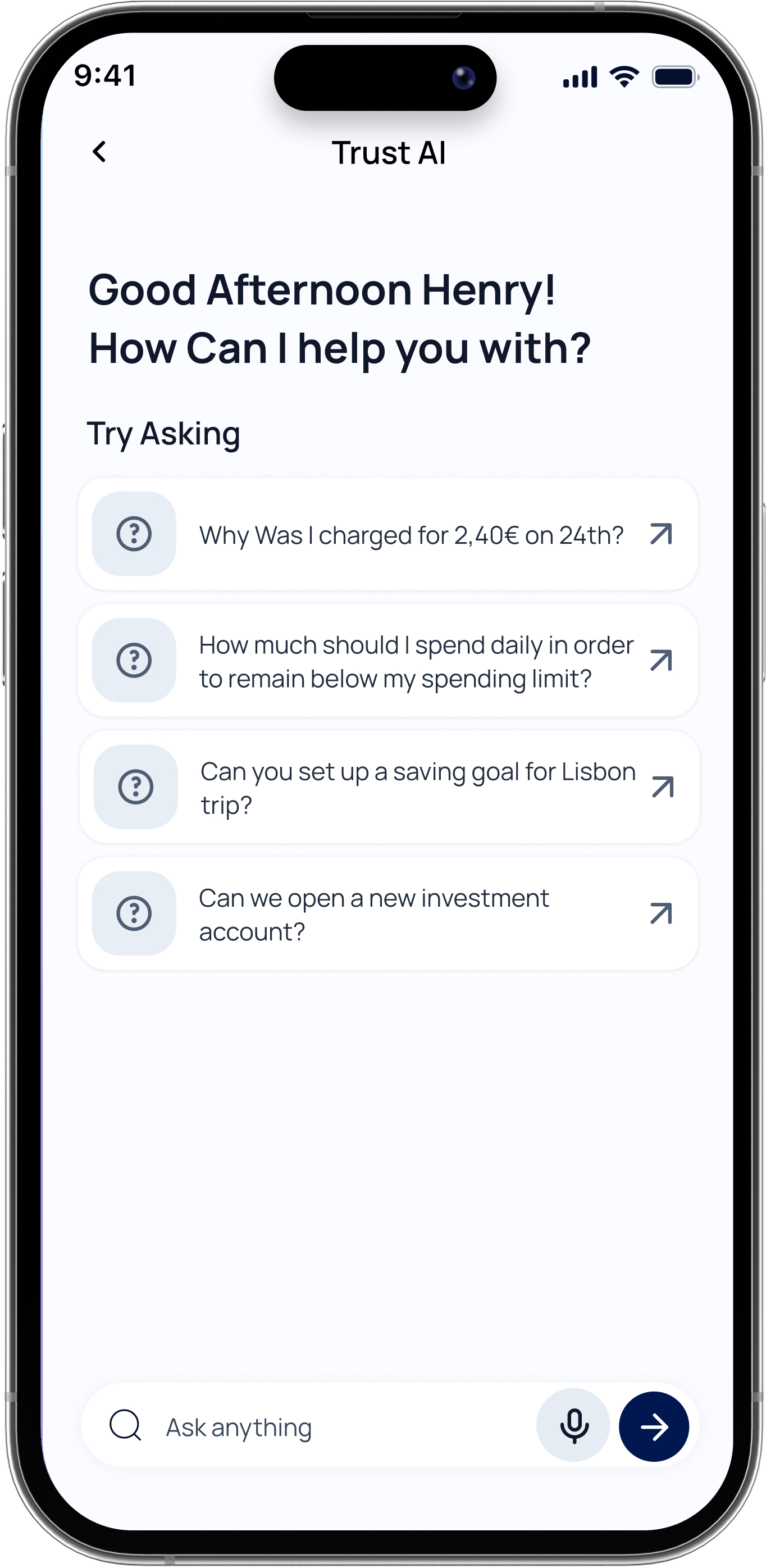
The Finances experience combines financial visibility, goal tracking and AI-assisted support to help users understand and manage their financial life from a single place.
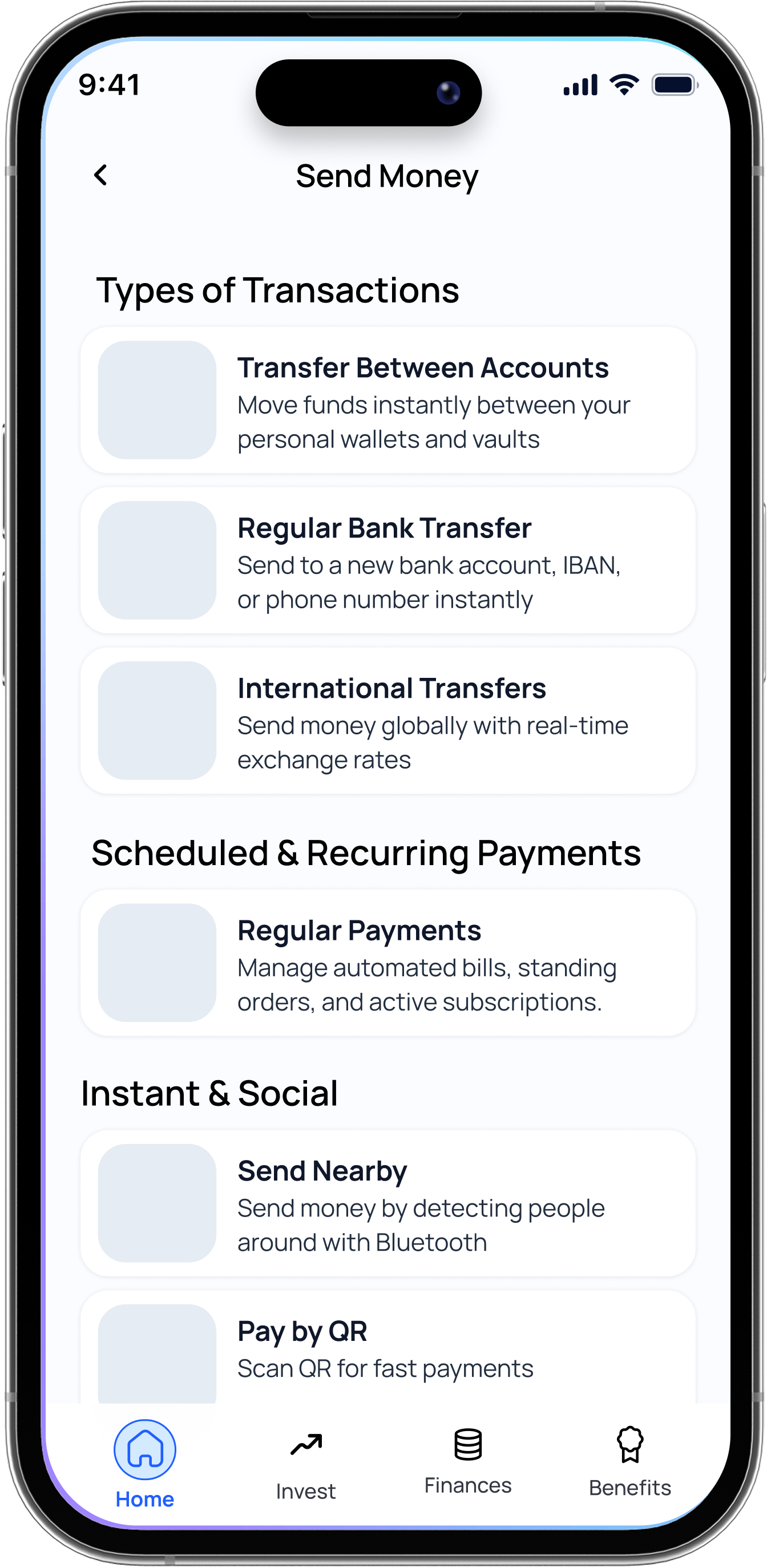
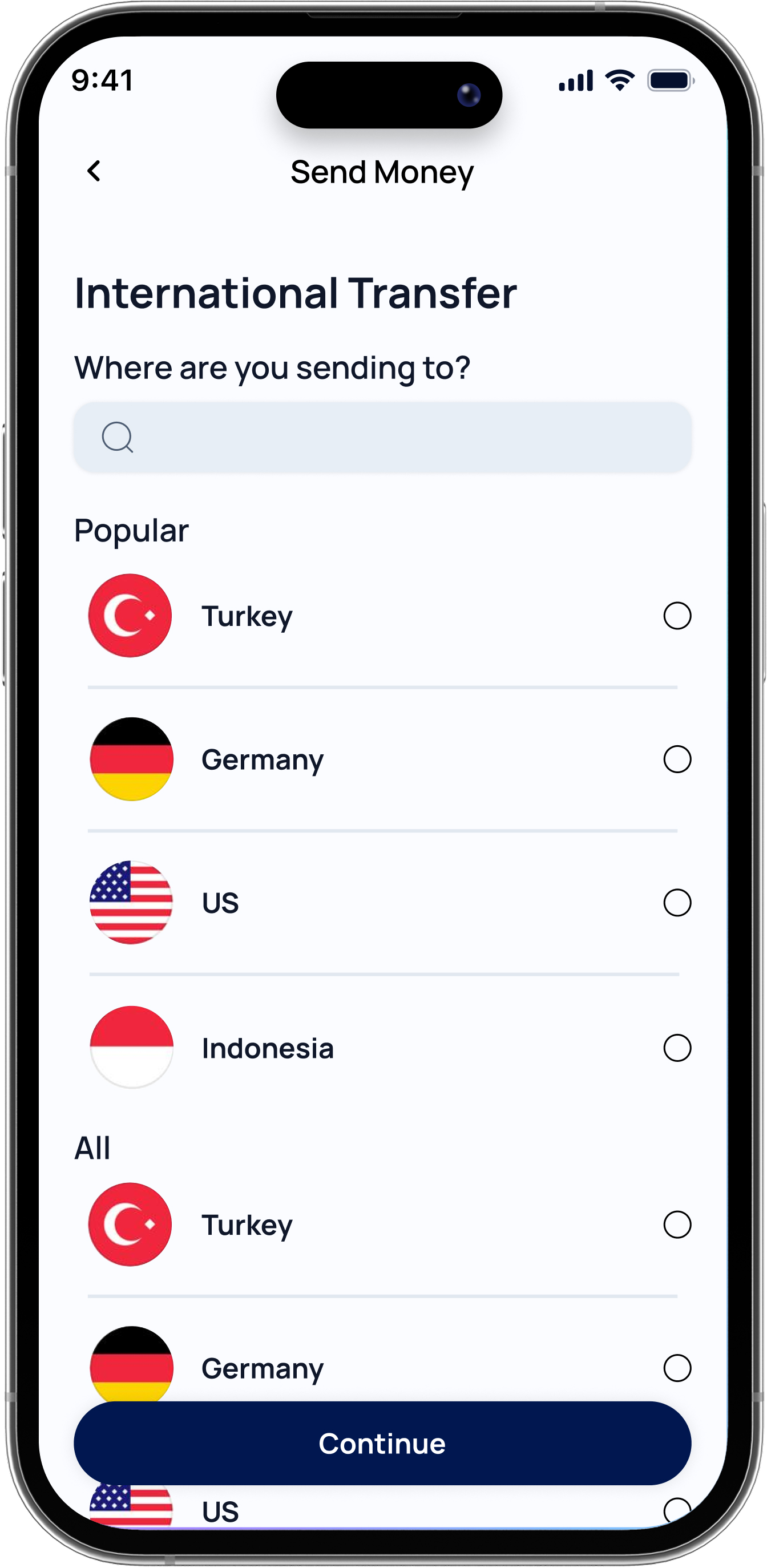
A streamlined international transfer experience designed to reduce friction while maintaining clear confirmation and authentication steps.
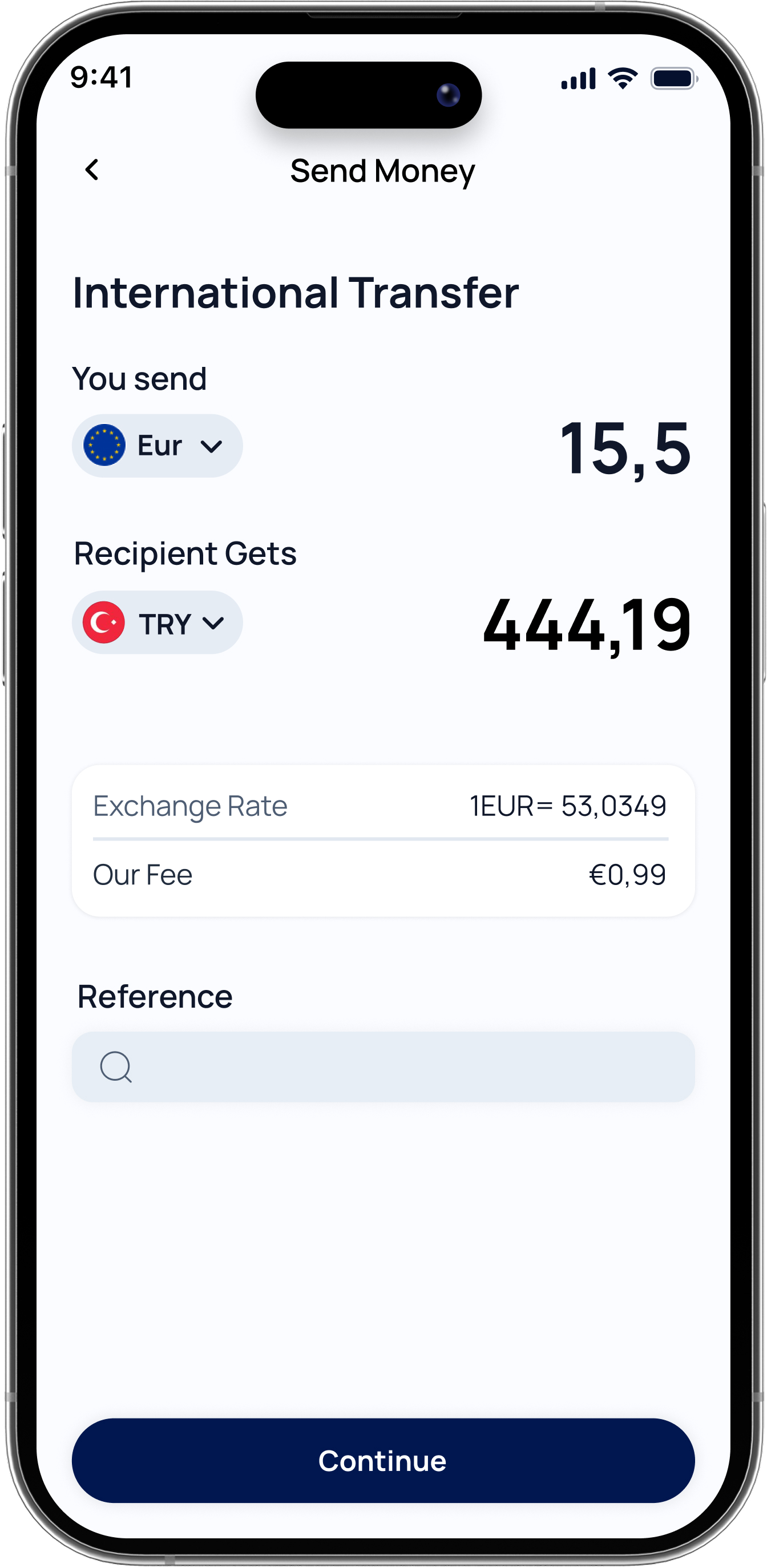
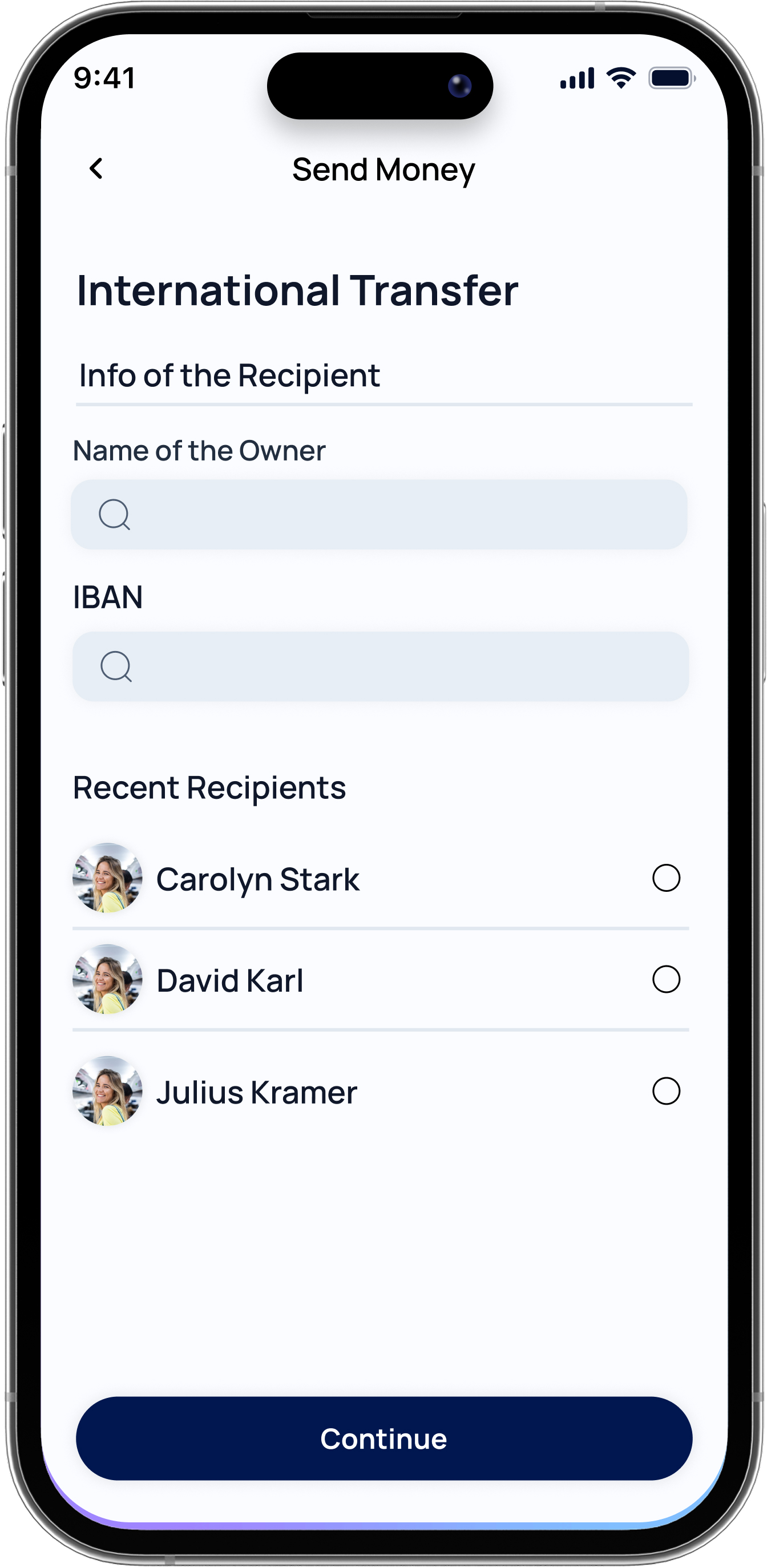
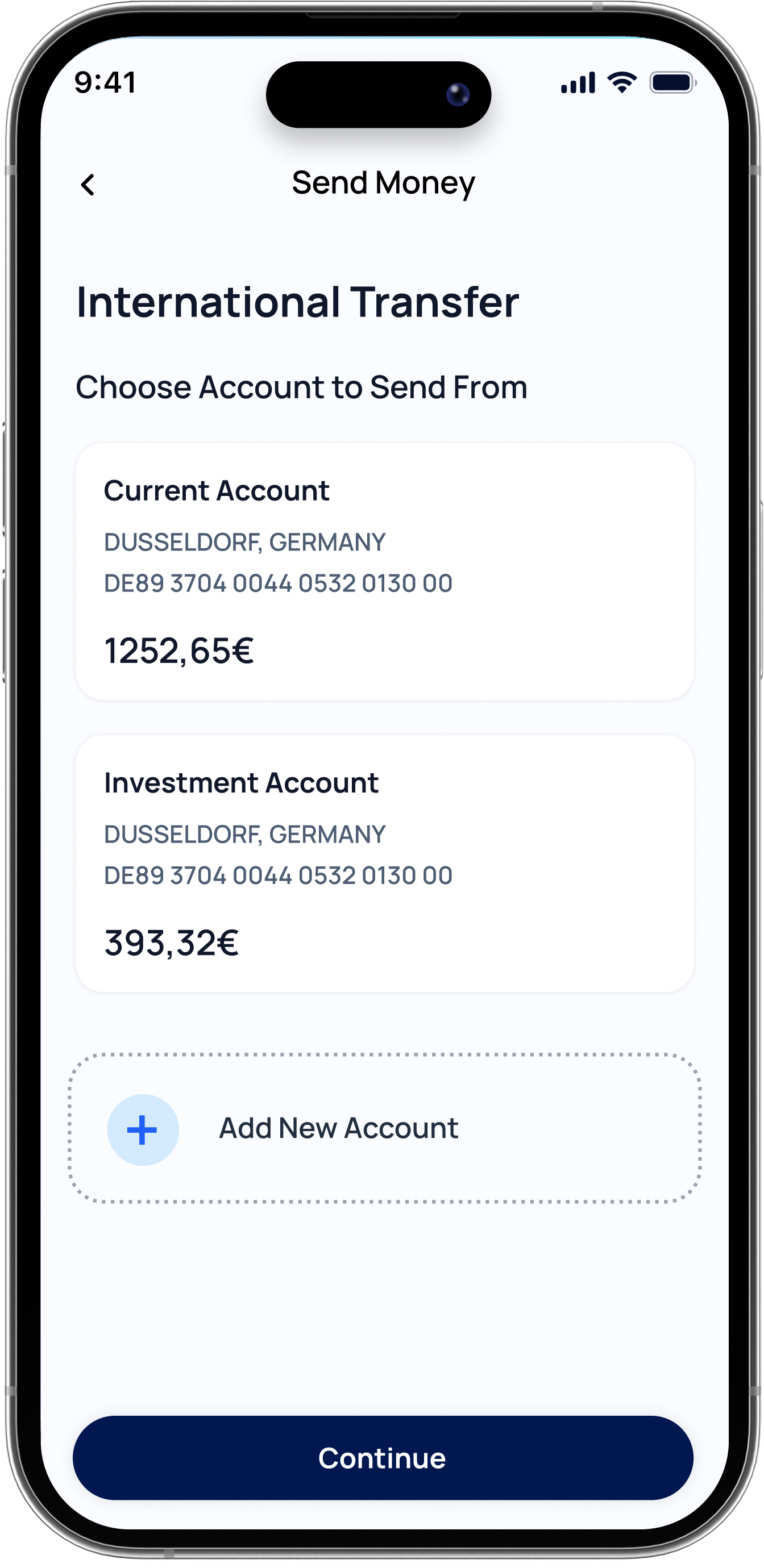
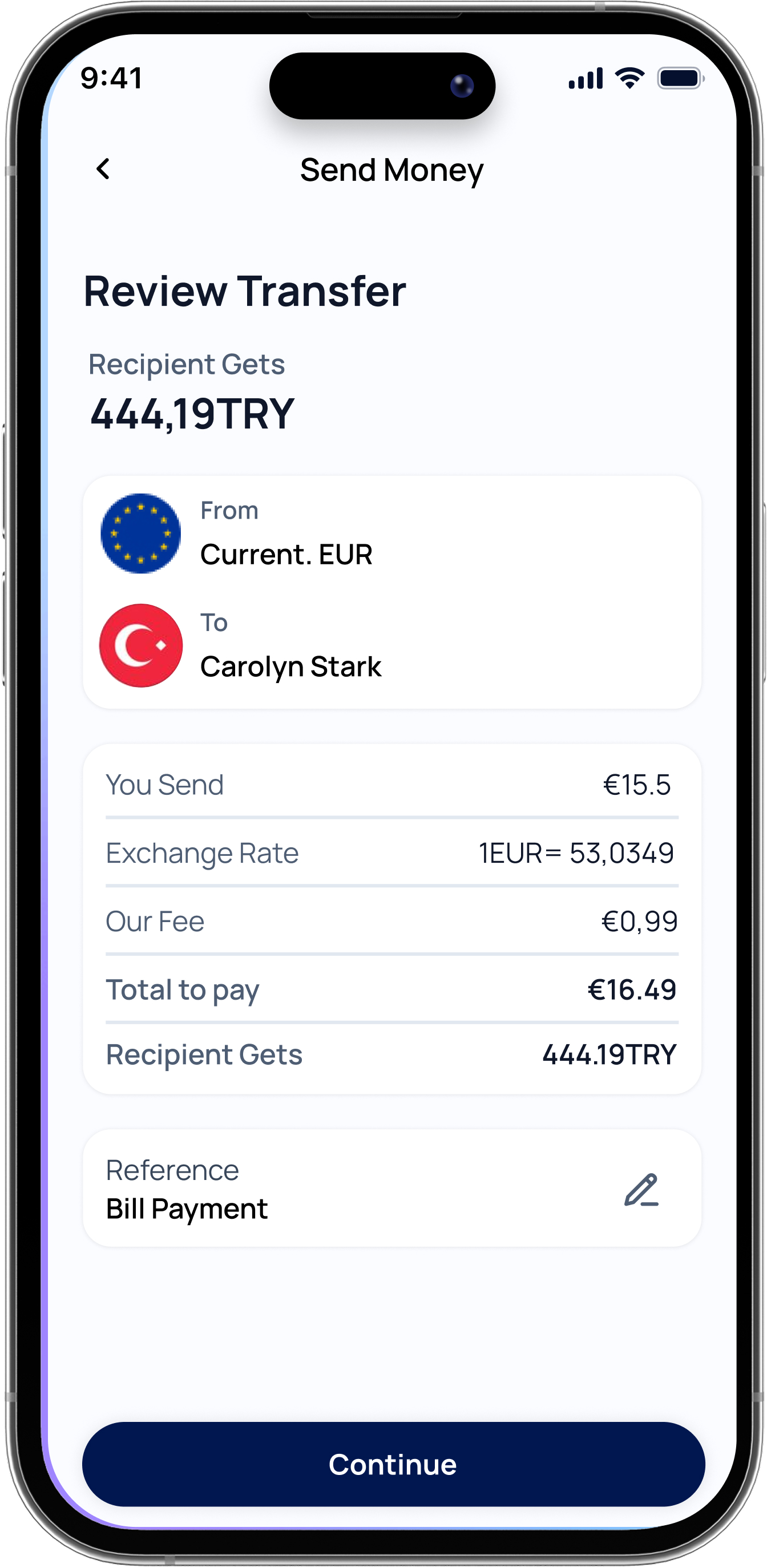
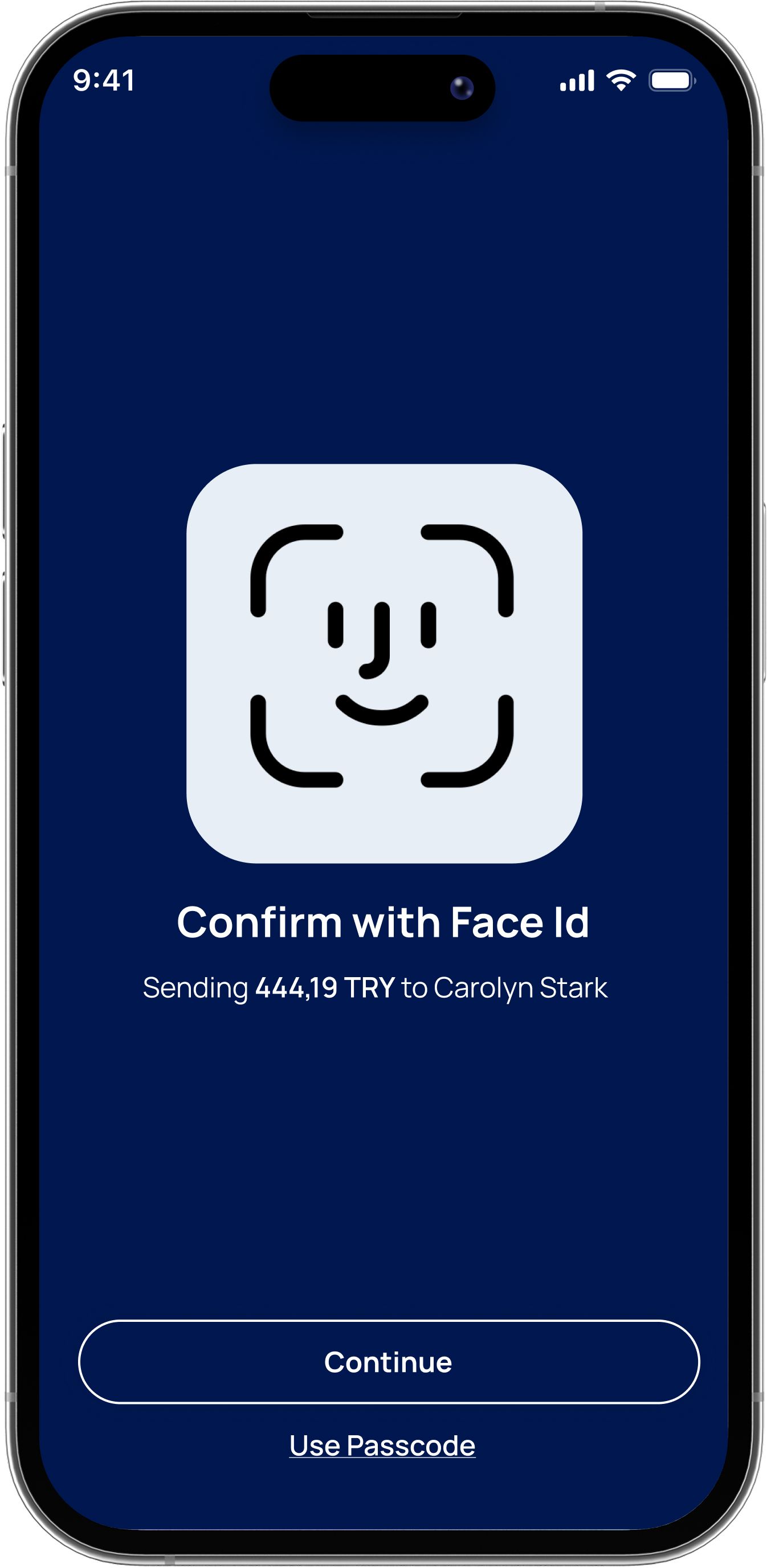
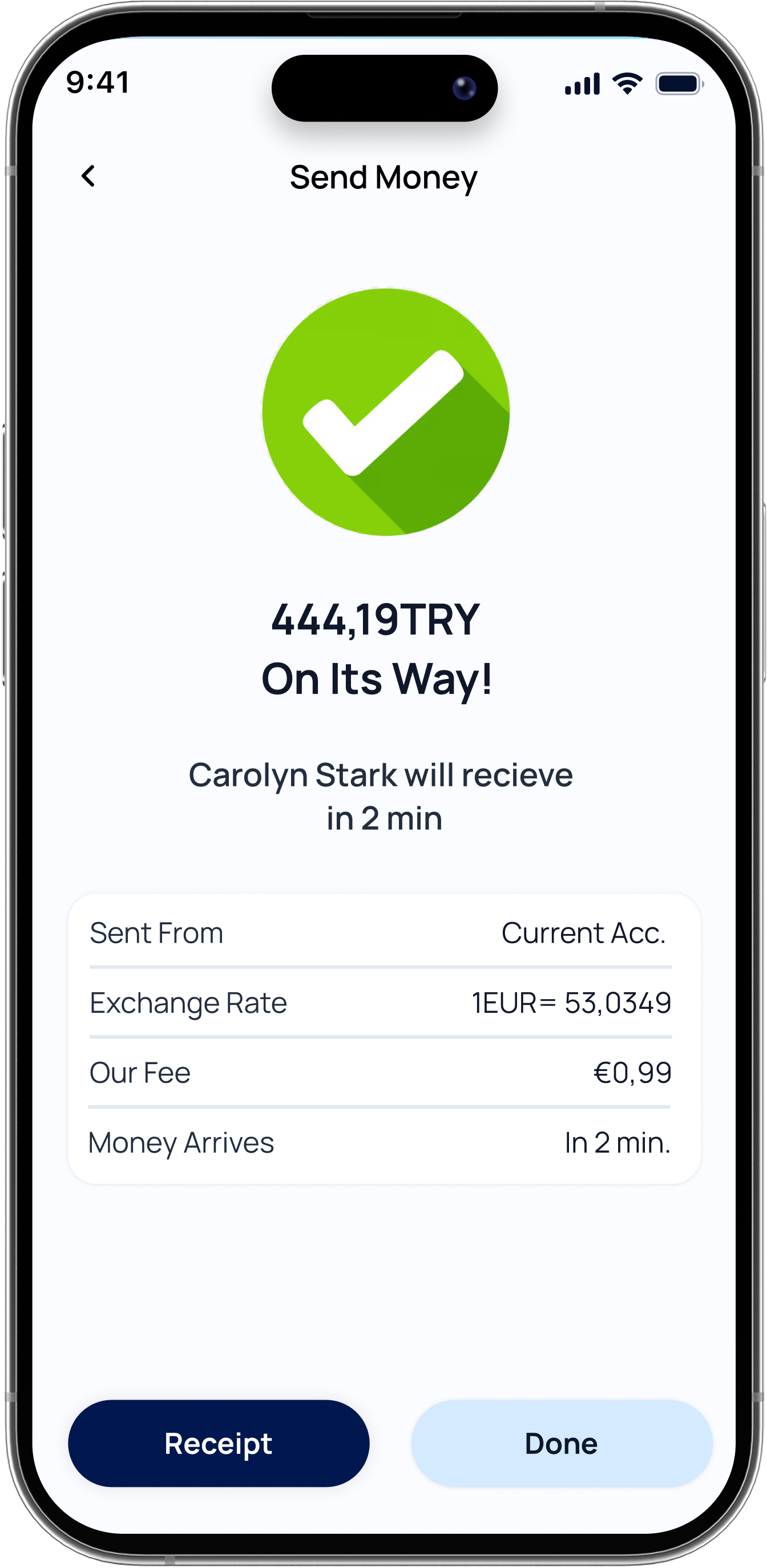
A social payment experience that enables users to quickly send or receive money through contacts and QR-based interactions.
Built from the research insights around QR Actions and Split & Pay.